Tapdeck
Audio routing, mixing and recording for macOS.
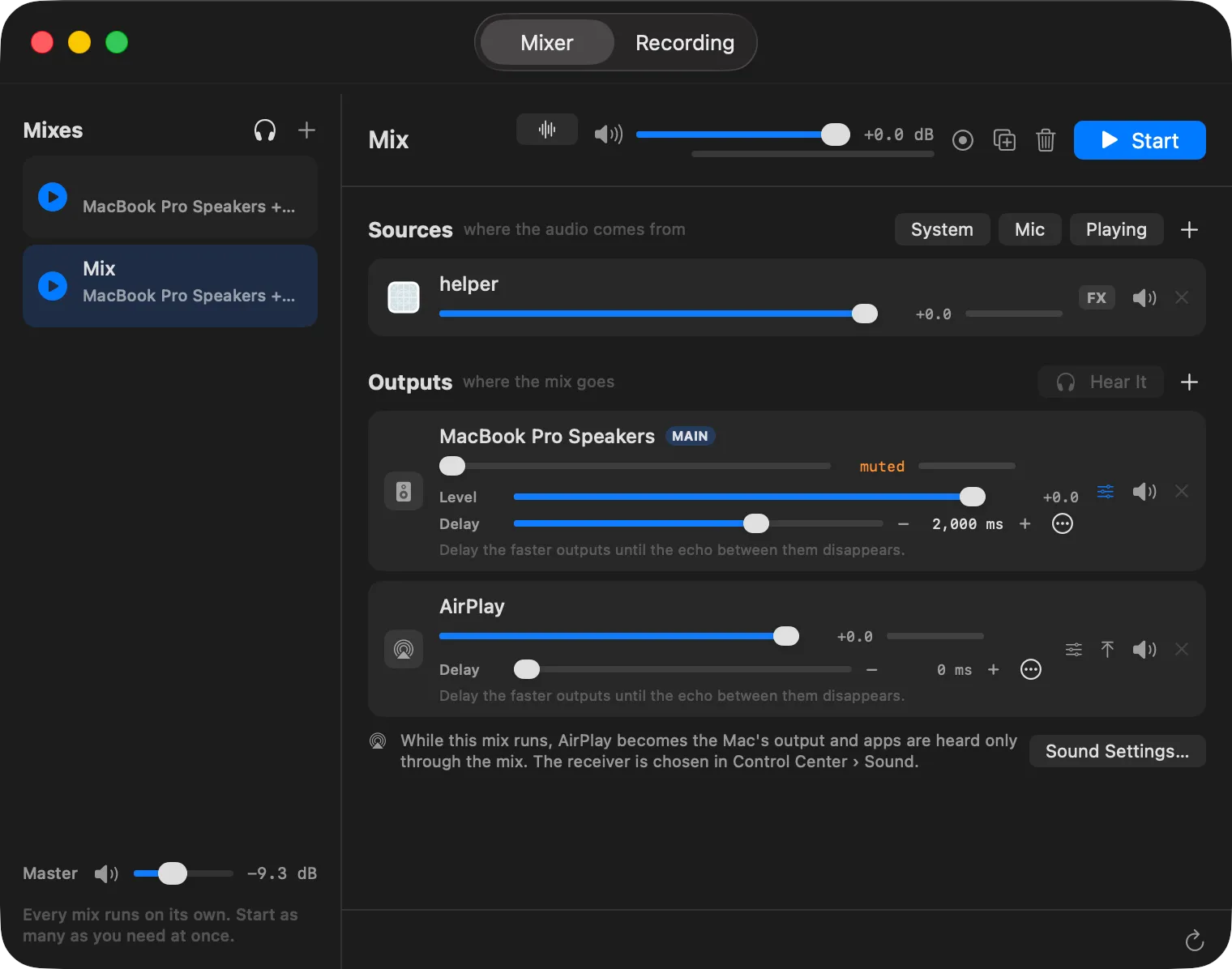
See it at work.
How the sound flows.
Illustration
What it does.
One app, on its own
Per-app capture takes a single application’s audio without a kernel extension.
Mixes with several outputs
Any number of mixes at once, each playing to speakers, headphones and virtual devices.
Virtual devices
Up to 8, named, created and removed live, and seen by other apps as microphones.
No feedback loops
A mix that would loop is refused, with the route that would loop.
Shape the sound
Low and high cut, a five-band equaliser, gate, compressor, limiter and delay for each source.
Even loudness, and recording
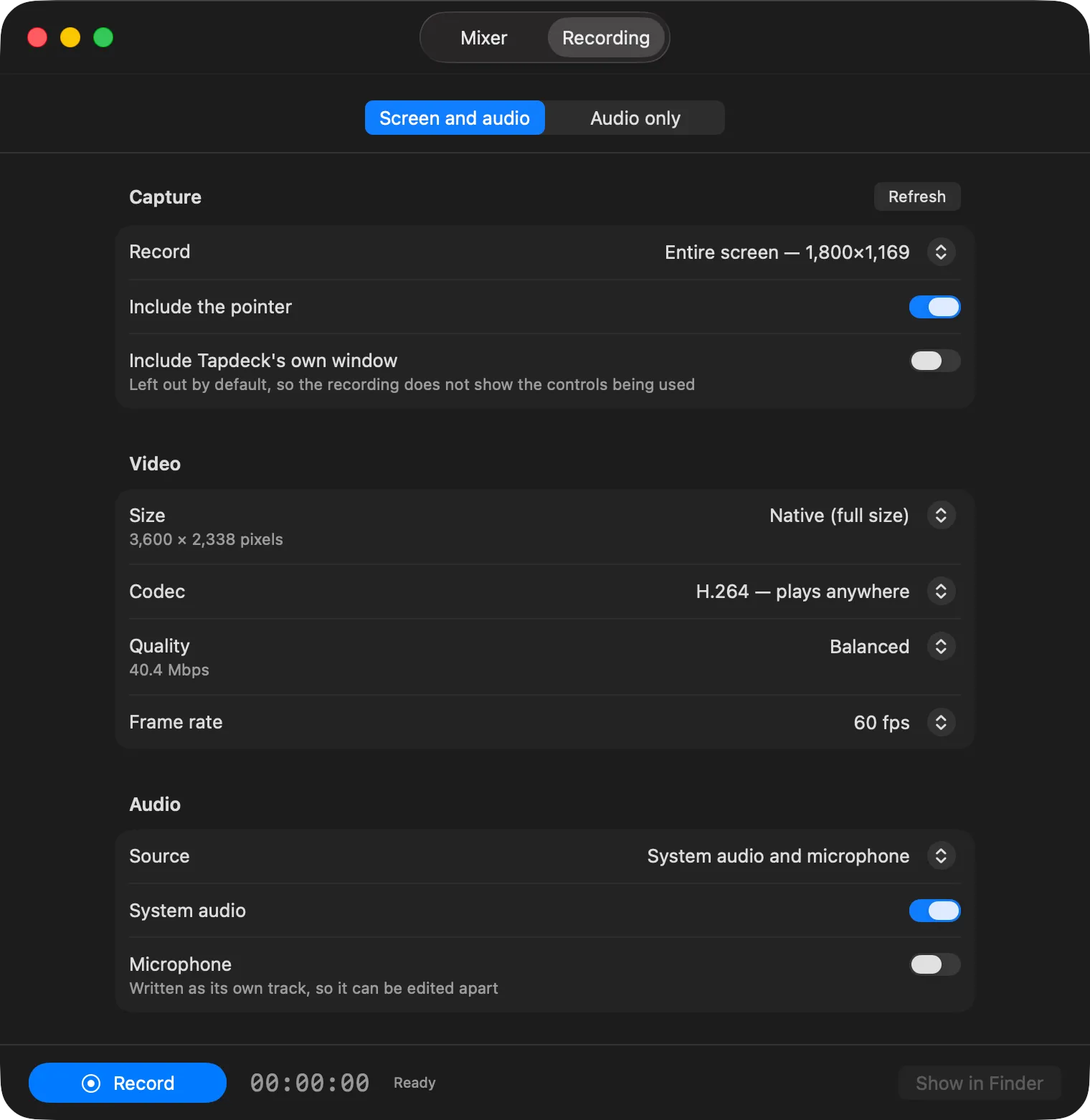
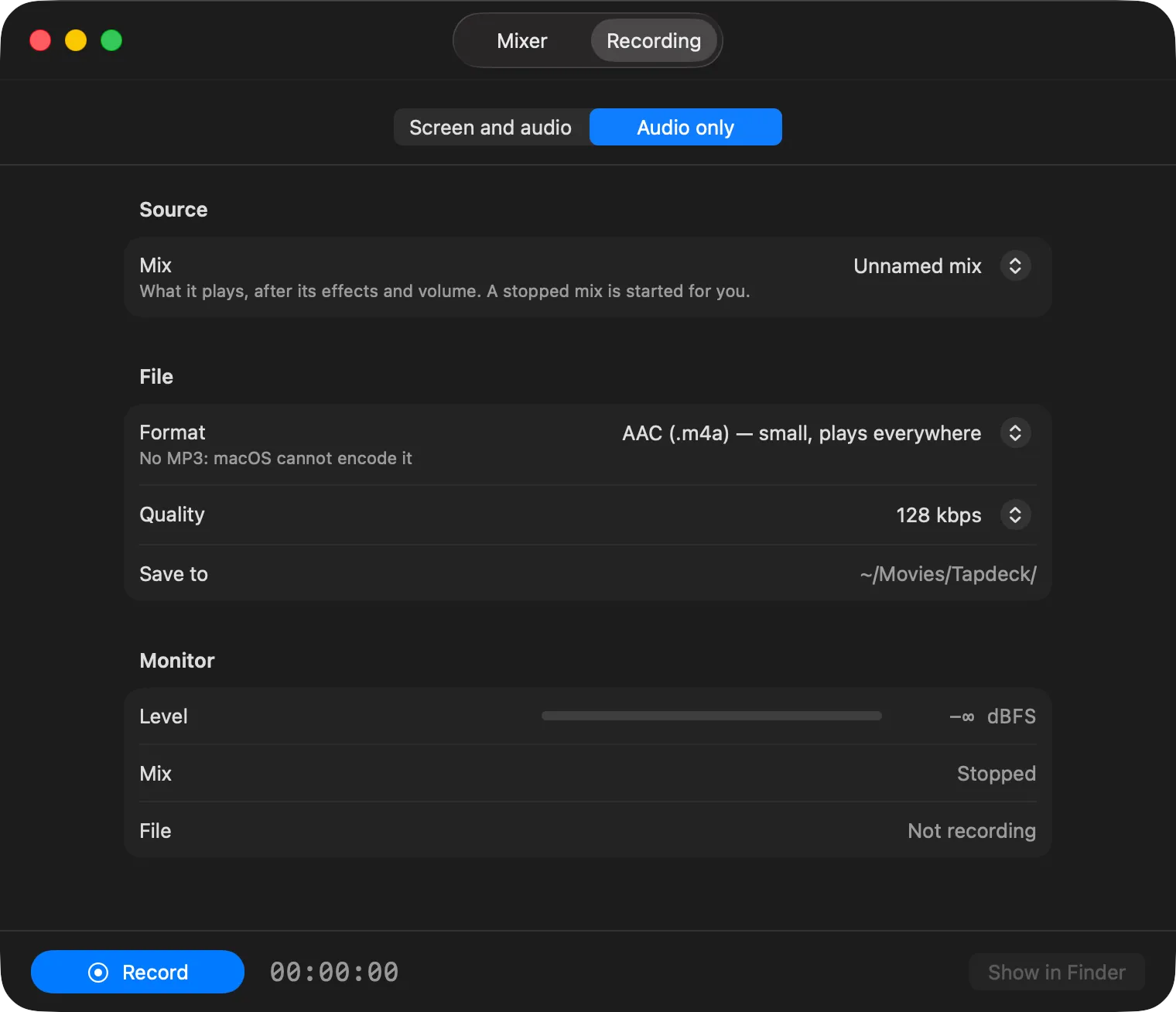
Bring everything to one loudness, and record the screen with audio from the mixer.
Questions.
How do I send my Mac’s audio into Zoom or OBS?
Make a mix, send it to a Tapdeck virtual device, then choose that device as the microphone or audio source inside the other app.
Can Tapdeck record just one app?
Yes. Per-app capture takes one application’s audio on its own, instead of the whole machine.
Does it need a kernel extension?
No. Per-app capture uses Core Audio process taps, and the virtual devices are a user-space plug-in, so System Integrity Protection stays on.
Do I have to install a driver?
Capturing, mixing, playing to several outputs and recording work with the app alone. The virtual devices need a driver, installed once from the source folder.
Which Macs does it run on?
Macs with Apple silicon, macOS 15 or later.
Does Tapdeck send any data?
No. It has no network code at all: no analytics, no crash reporting, no update checks.
Details, installation and privacy of Tapdeck
Details
- Works on
- Mac with Apple silicon, macOS 15 or later
- Latest release
- 0.5.0 · 17 Oct 2026
- Licence
- MIT
Install
Each release is a .dmg.
- Download Tapdeck-x.y.z.dmg from the latest release, open it and drag Tapdeck onto Applications.
- The app is signed but not notarized, so macOS blocks the first launch. Open System Settings, then Privacy & Security, and click Open Anyway.
- Capturing, mixing, several outputs and recording work as they are. The virtual devices need a driver that is installed once from the source folder.
Privacy
Tapdeck collects nothing and sends nothing. It has no network code at all: no analytics, no crash reporting, no update checks. Everything it captures and writes stays on your Mac.