Kitbag
A student's everyday tools in one app.
See it at work.
-
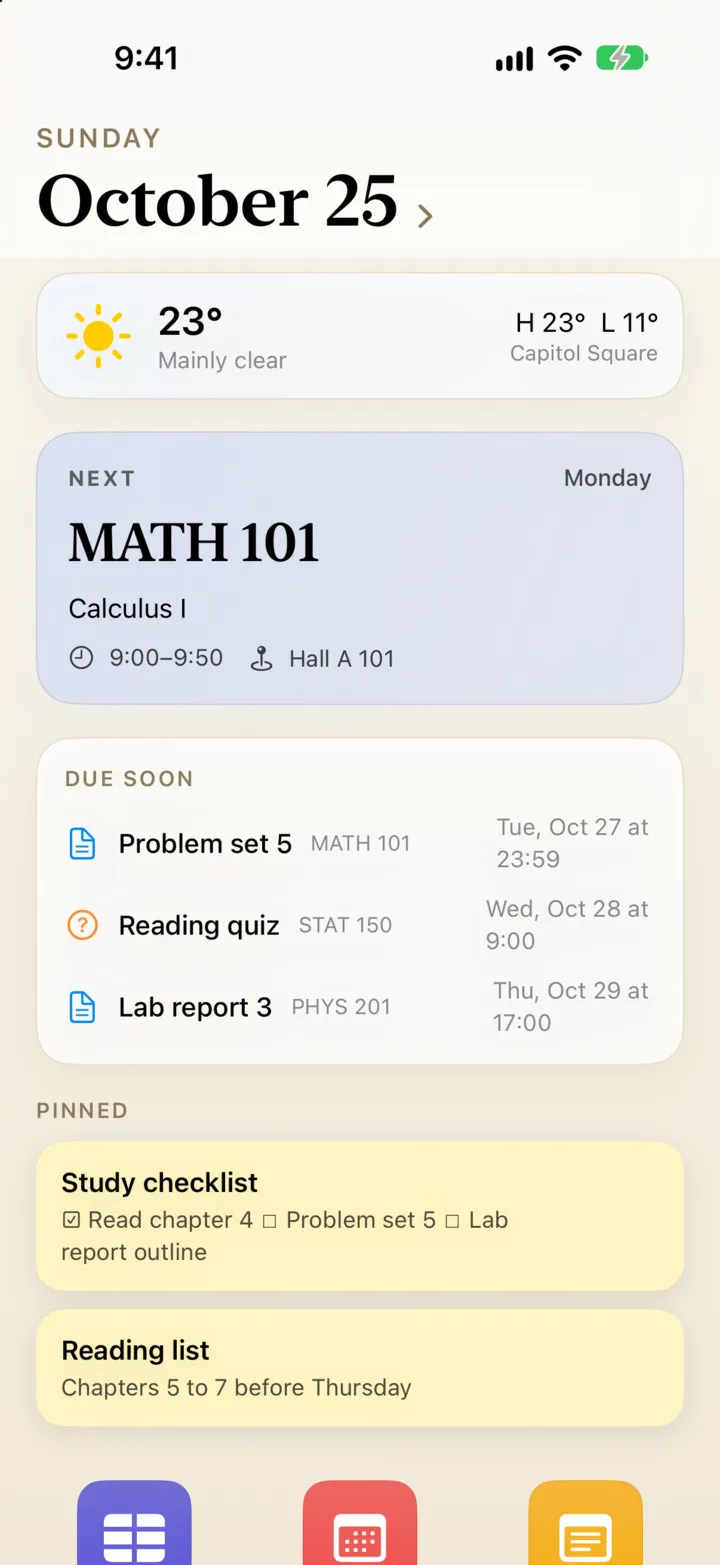
Today: the class that comes next, what is due and your pinned notes.
-
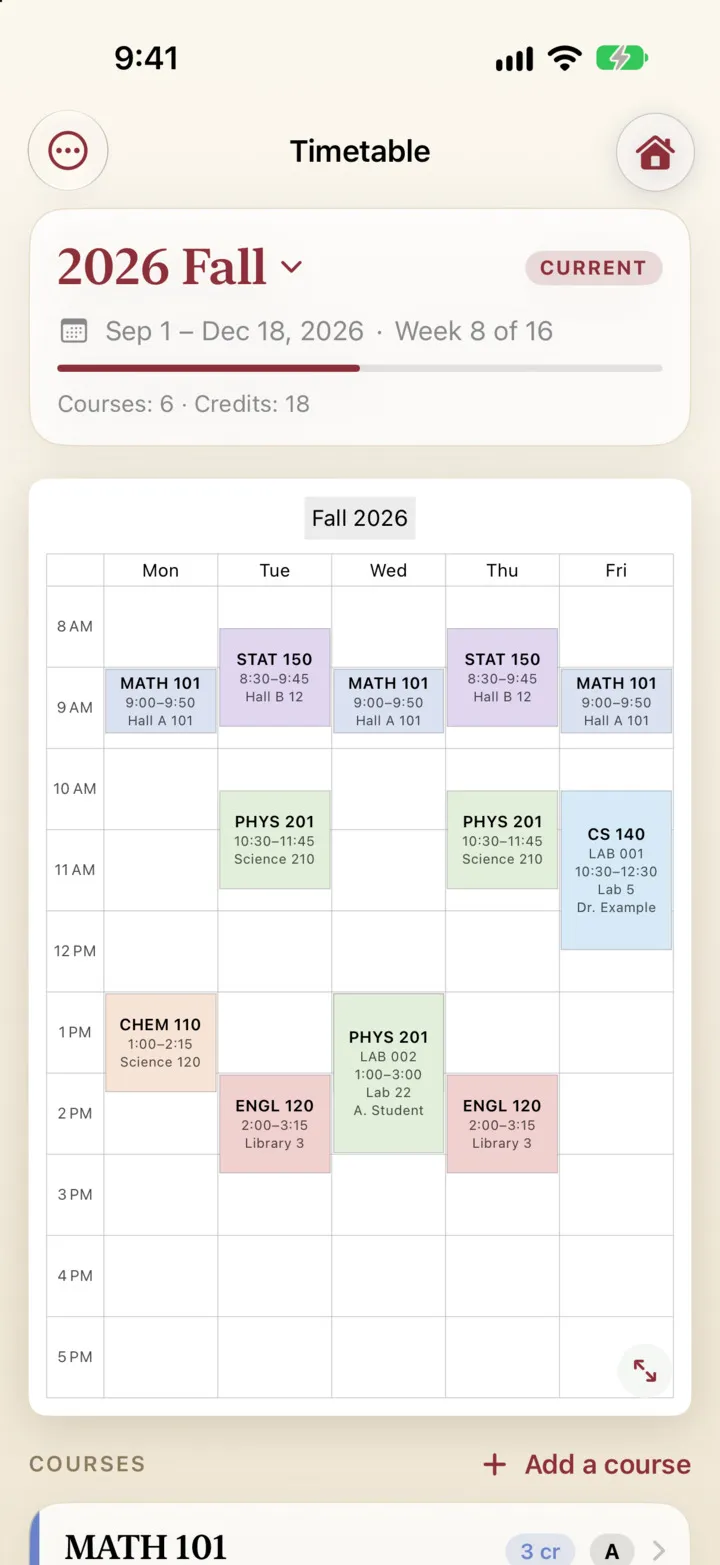
A term as a weekly page, in the look of a printed school timetable.
-
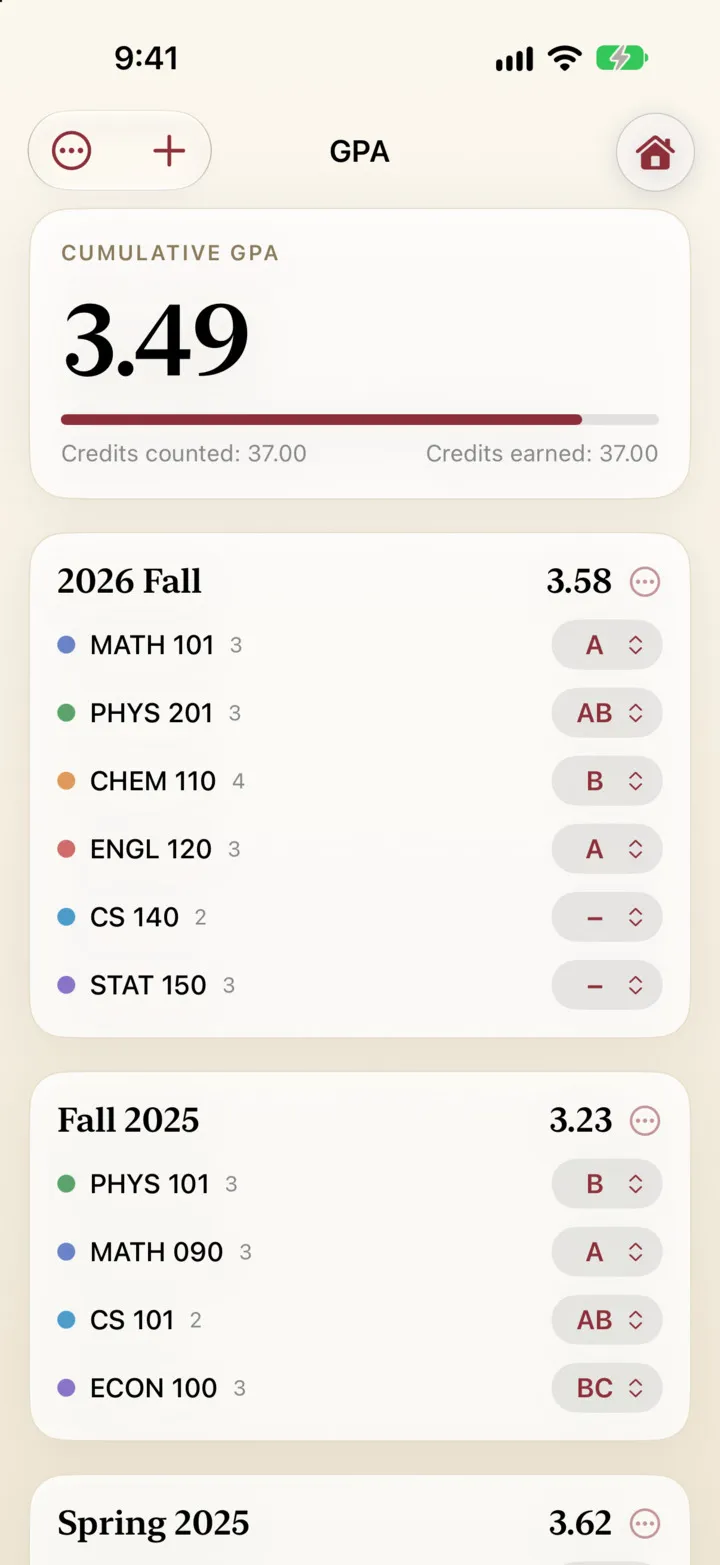
GPA, term by term, with grading systems you can change.
-
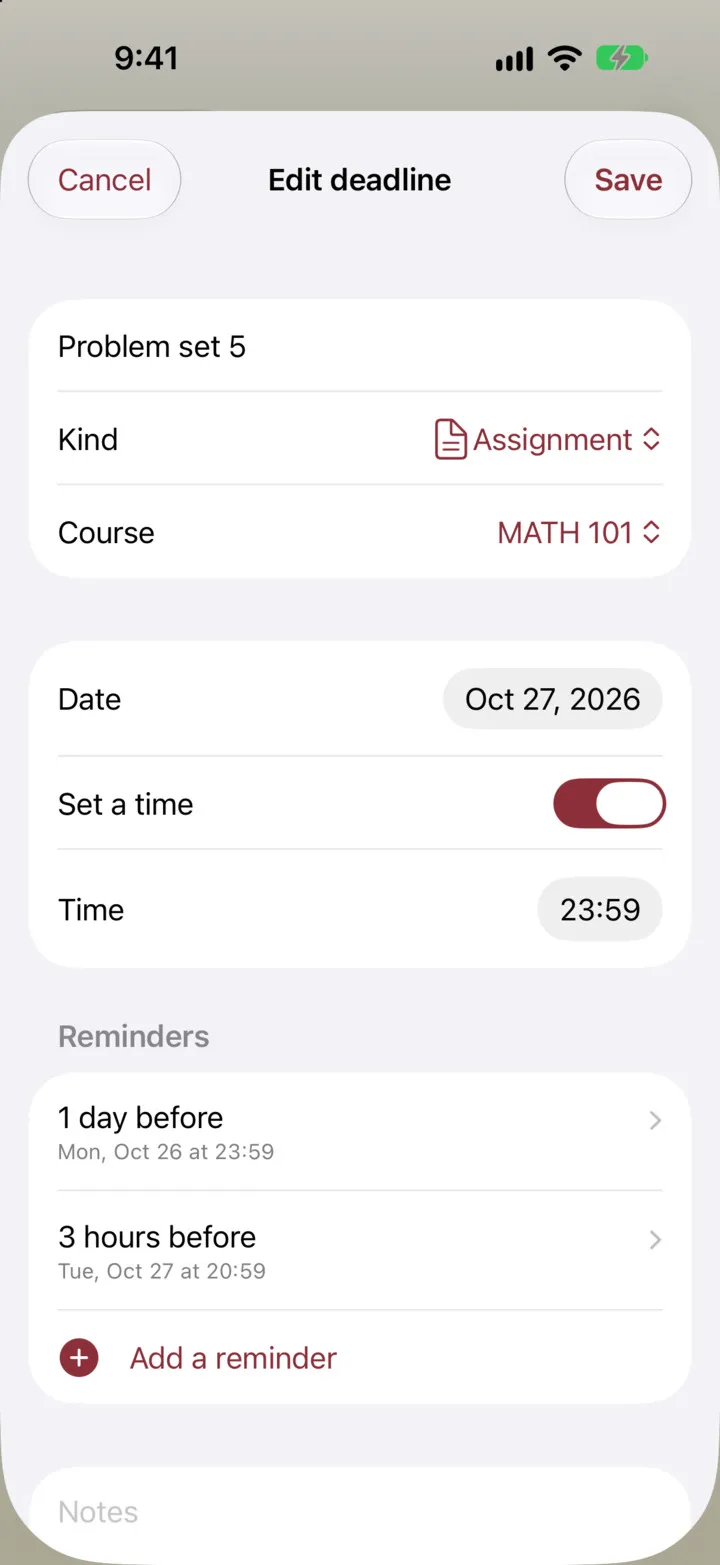
Deadlines with reminders that show the exact moment each will come.
What it does.
Today
The date, the weather, the class that is on or next, what is due soon and pinned notes.
A printed-style timetable
A weekly page in the look of a school timetable, exported as a PDF.
GPA, term by term
Grading systems you can change, and what-if calculators.
Deadlines with reminders
You choose the reminders, with Done and Snooze on the notification itself.
Notes in Markdown
With photos and files kept in the note.
iPhone and iPad
On a wide window the tools sit beside a sidebar and use the width.
Questions.
What is Kitbag?
A student's everyday tools in one iPhone and iPad app: timetable, deadlines, notes, GPA and weather, brought together on a Today screen.
Does Kitbag need an account?
No. It has no account, no analytics, no advertising and no server of its own.
What does it send over the network?
The weather forecast, the place search (made by iOS with Apple Maps) and the calendars you subscribe to by address. Nothing about you or your phone is sent to the author, and Kitbag never asks where your phone is.
Can I back up my data?
Yes. Settings can export everything as one .kitbag file, and a backup folder you choose takes a dated backup once a day.
Does it work on iPad?
Yes. Kitbag runs on iPhone and iPad with iOS 17 or later.
Where can I get it?
Kitbag is not in the App Store and has no published release yet. The source is on GitHub.
Details, installation and privacy of Kitbag
Details
- Works on
- iPhone and iPad, iOS 17 or later
- Status
- Coming soon
- Languages
- English and Japanese
- Licence
- MIT
Install
Kitbag is coming to the App Store. This page will link to it as soon as it is there.
- For developers: build it from the source on a Mac with Xcode. The steps are in the README on GitHub.
Privacy
Kitbag has no account, no analytics, no advertising and no server of its own. Your timetable, deadlines, notes and grades stay on the phone. The weather forecast, the place search and the calendars you subscribe to by address use the network, and Kitbag never asks where your phone is.